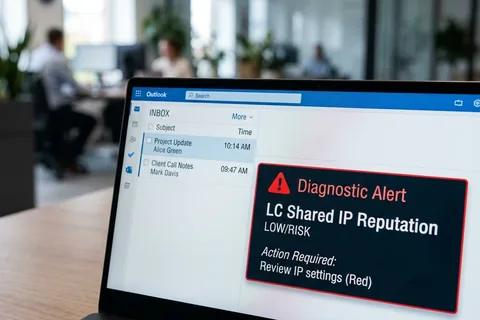
Your subject line didn't send you to spam. Someone else's campaign did.
That's not a metaphor. When you use GoHighLevel's default LC Email system, your outgoing mail shares Mailgun IP pools with thousands of other GHL agencies and their clients.[1] When another agency on your pool sends to a purchased list, hits spam traps, or triggers complaint rates above 0.1% — the IP reputation drops. For everyone. Including you. You can't see it. You can't control it. And no subject line change will fix it.
This is what GHL support doesn't tell you when they say "check your content."
Why the Standard Advice Fails
Every GHL Facebook group has the same thread: open rates dropping to 3%, campaigns invisible to clients, GHL support saying clean your list and adjust your subject lines. That advice isn't wrong — but it's the right answer to the wrong question.
The issue isn't content. The issue is infrastructure. And GHL's default architecture has three problems that most guides don't name clearly.
1. Shared IP Contamination
LC Email routes through Mailgun's shared pools by default.[1] Your DNS
records can be perfect — SPF aligned, DKIM signed, DMARC at p=reject. Inbox providers evaluate IP
reputation and domain reputation. If the IP is flagged from another sender's behaviour, your clean
domain doesn't override it. You're penalised for someone else's list hygiene.[2]
2. No Send Throttling
When you trigger a bulk campaign to 5,000 contacts, GHL dumps the entire queue to your SMTP server as fast as it can.[3] If your sending account has hourly limits — and most do — messages queue, delay, and sometimes fail. That burst pattern looks like spam behaviour to inbox providers regardless of your content quality.
3. Zero Visibility With Custom SMTP
Once you switch to custom SMTP — which is the correct fix — GHL shows you opens and clicks. Nothing else.[4] No bounce rate. No spam complaint data. No delivery failures. A campaign can fail silently and you won't see it until a client asks why nobody responded. You're running your email infrastructure without instrumentation.
What Actually Fixes It
The fix is straightforward: get off shared infrastructure.
Connect your own Mailgun account as custom SMTP under GHL's Settings → Email Services.[5] This isolates your sender reputation. What other agencies do becomes
irrelevant. Your reputation is now yours alone to manage — which means you're responsible for it, but you're
also no longer a passenger on someone else's sending history.
Before you send anything at volume, warm the domain. A fresh dedicated domain has zero reputation with Gmail and Outlook. Sending bulk immediately looks like a spam operation regardless of content. Start at 50 to 100 sends per day, targeting your most engaged contacts first — people who have opened before, who reply, who click. Increase volume by 20 to 30 percent per week.[6] GHL has no native warmup feature, so this has to be done manually through careful send scheduling. Don't use GHL's bulk campaign feature during warmup — it sends too fast.[7]
Set up Google Postmaster Tools for your sending domain. It's free, and it shows you domain reputation, IP reputation, spam complaint rates, and delivery errors directly from Gmail's infrastructure. Check it before every large send. Most GHL users have never opened it.
The Tracking Domain Problem Most Articles Skip
GHL's default link tracking routes clicks through shared GoHighLevel subdomains. Inbox providers have seen those domains — attached to thousands of agencies, some of whom have burned their reputation — and flag accordingly. Your email body looks clean. Your links tell a different story.
Fix this via Settings → Email Services → Dedicated Domain and IP → Domain Settings and enable a
custom tracking domain.[8] Point a subdomain of your own domain at GHL's
tracking infrastructure. Your links now show your domain. The shared domain association disappears.
This single change improves inbox placement for accounts that have clean DNS but are still seeing spam placement. It's one of the least-covered fixes in GHL deliverability content.
The Correct Order of Operations
Most agencies spend weeks A/B testing subject lines while their infrastructure is broken. The tests produce no usable signal because the emails aren't reaching the inbox to begin with.
Fix in this sequence: custom SMTP with your own provider account first, then custom tracking domain, then a proper warm-up period, then Google Postmaster Tools monitoring. Only once those four things are in place does content optimisation start producing meaningful results.
The infrastructure problem is boring to fix. It involves DNS records, SMTP credentials, and a few weeks of patience during warm-up. It's not a subject line. It's not a content audit. It's plumbing.
Plumbing that, once fixed, stays fixed.
What Is LC Email in GoHighLevel?
LC Email (LeadConnector Email) is GoHighLevel's native email delivery infrastructure, powered by Mailgun on shared IP pools. It is the default email sending method when a GoHighLevel account is created. Because LC Email operates on shared infrastructure, the sender reputation of your sending domain is partially determined by the behaviour of other GoHighLevel agencies on the same IP pool — not solely by your own sending practices. This is the fundamental infrastructure constraint that most GoHighLevel deliverability guides fail to name explicitly.
LC Email vs Custom SMTP: The Real Difference
| Factor | LC Email (Default) | Custom SMTP |
|---|---|---|
| IP reputation | Shared with all GHL users | Your own, isolated |
| Other senders affect you | Yes | No |
| Bounce visibility | Limited | None inside GHL — monitor at SMTP level |
| Spam complaint data | Not available | Not available inside GHL |
| Warmup required | No (uses Mailgun's existing reputation) | Yes — mandatory on new domains |
| Setup complexity | Zero — default | Moderate — DNS + SMTP credentials |
| Suitable for client campaigns | Low volume only | Yes |
Key Takeaways
- LC Email uses shared Mailgun infrastructure — other GHL agencies affect your IP reputation.
- Correct SPF, DKIM, and DMARC protect domain reputation but not IP reputation.
- Custom SMTP with your own Mailgun account fully isolates your sender reputation.
- GHL has no native warmup feature — warmup must be done manually at 50–100 sends/day.
- Custom tracking domains remove the shared GHL subdomain from your email links.
- Google Postmaster Tools (free) shows domain and IP reputation directly from Gmail.
- Fix infrastructure before optimising content — content tests produce no signal on broken infrastructure.
Frequently Asked Questions
Sources
- Mailflow Authority — GoHighLevel Email Deliverability Problems: Why Your GHL Emails Go to Spam
- Suped — Why Are My Emails from GoHighLevel Landing in Spam?
- Mailflow Authority — GHL has no built-in sending throttling — dumps entire queue at once
- Mailflow Authority — GoHighLevel SMTP Setup: The Complete Guide (2026) — visibility limitations
- Mailflow Authority — Custom SMTP setup path: Settings → Email Services
- gohighlevel.ai — GoHighLevel Email Deliverability Setup Guide (2026)
- Mailflow Authority — GoHighLevel SMTP: Do not use bulk campaign feature during warmup
- GoHighLevel Support — Email Tracking for LC Email — Custom Tracking Domain Setup