Sometimes a project starts with a requirement that sounds almost too simple to be interesting.
This was one of those projects.
The request was straightforward: connect a workshop registration form to Mailchimp and automate the emails that needed to happen around each workshop.
A confirmation email.
An administrator notification.
A reminder before the workshop.
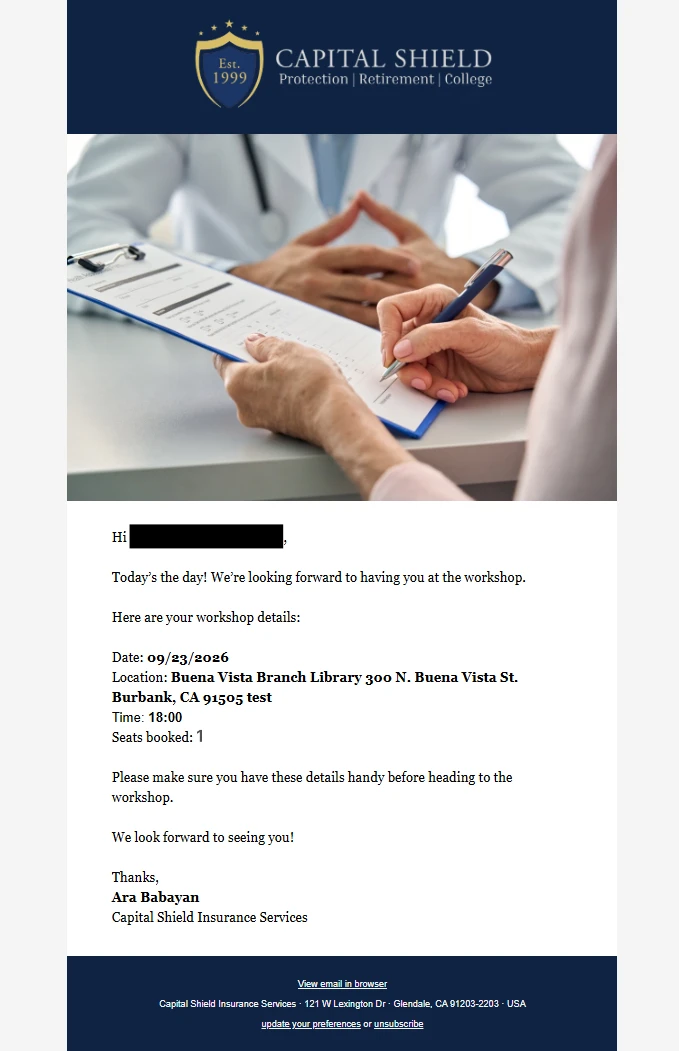
And another reminder on the day.
Four emails.
That was the starting point.
It was not where the project ended.
The Brief: Four Automated Emails
The client, Capital Shield Insurance Services, needed a reliable way to manage workshop registrations through an existing website and Mailchimp setup.
The basic workflow looked like this:
- A visitor registers for a workshop.
- The attendee receives an immediate confirmation.
- The business owner receives the registration details.
- A reminder is sent the day before the workshop.
- A second reminder is sent on the day of the workshop.
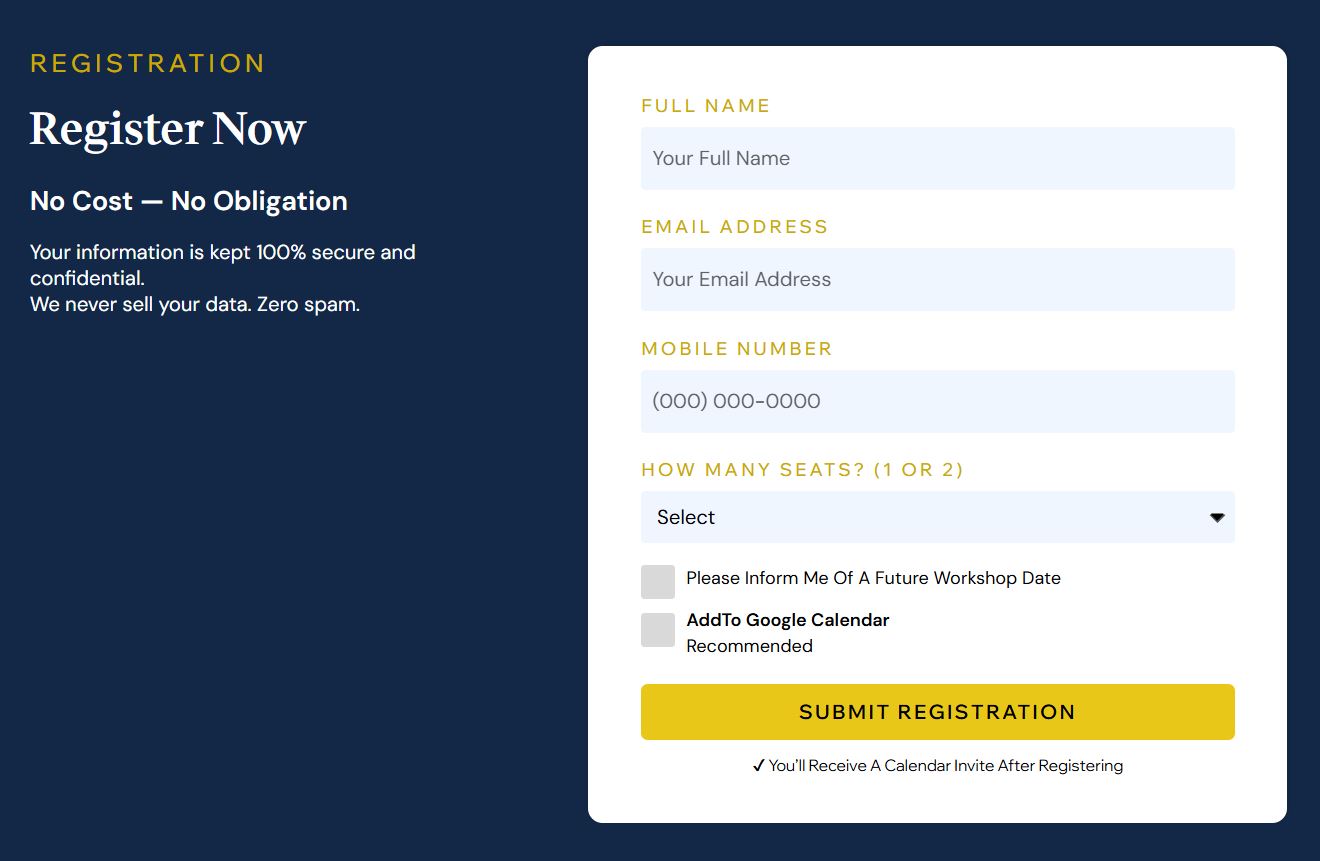
The registration form also collected information such as the attendee's name, email address, phone number, and number of seats.
On the surface, this looked like a conventional Mailchimp automation project.
Mailchimp can handle triggers, contact fields, tags, journeys, and automated emails very well.
But there was one question that changed the entire project:
What happens when the same person registers for another workshop?
That question turned out to be much more important than the emails themselves.
The Problem: A Mailchimp Contact Is Not a Workshop Registration
This was the first major design decision.
A Mailchimp contact represents a person.
A workshop registration represents that person's participation in a specific event.
Those are two different things.
Imagine someone attends Workshop #1.
They already exist in Mailchimp.
Several weeks later, the client announces Workshop #2 and that same person registers again.
Mailchimp already knows who they are.
But the business still needs to know that this is a new registration for a new workshop.
If the system simply treated "existing contact" as "already registered," the workflow would fail.
The same problem appears in the opposite direction.
Someone might be added to Mailchimp for administrative reasons without actually registering for a workshop.
So the system needed its own understanding of workshop state.
That became the foundation of everything that followed.
From Email Automation to Workshop Management
Once that distinction became clear, the architecture changed.
Instead of making Mailchimp responsible for understanding the entire business process, I separated the responsibilities.
Mailchimp remained responsible for the audience and email communication.
A Cloudflare Worker handled the application logic, webhook processing, event coordination, and scheduled processing.
A persistent state layer kept track of information that should not depend entirely on a single Mailchimp contact.
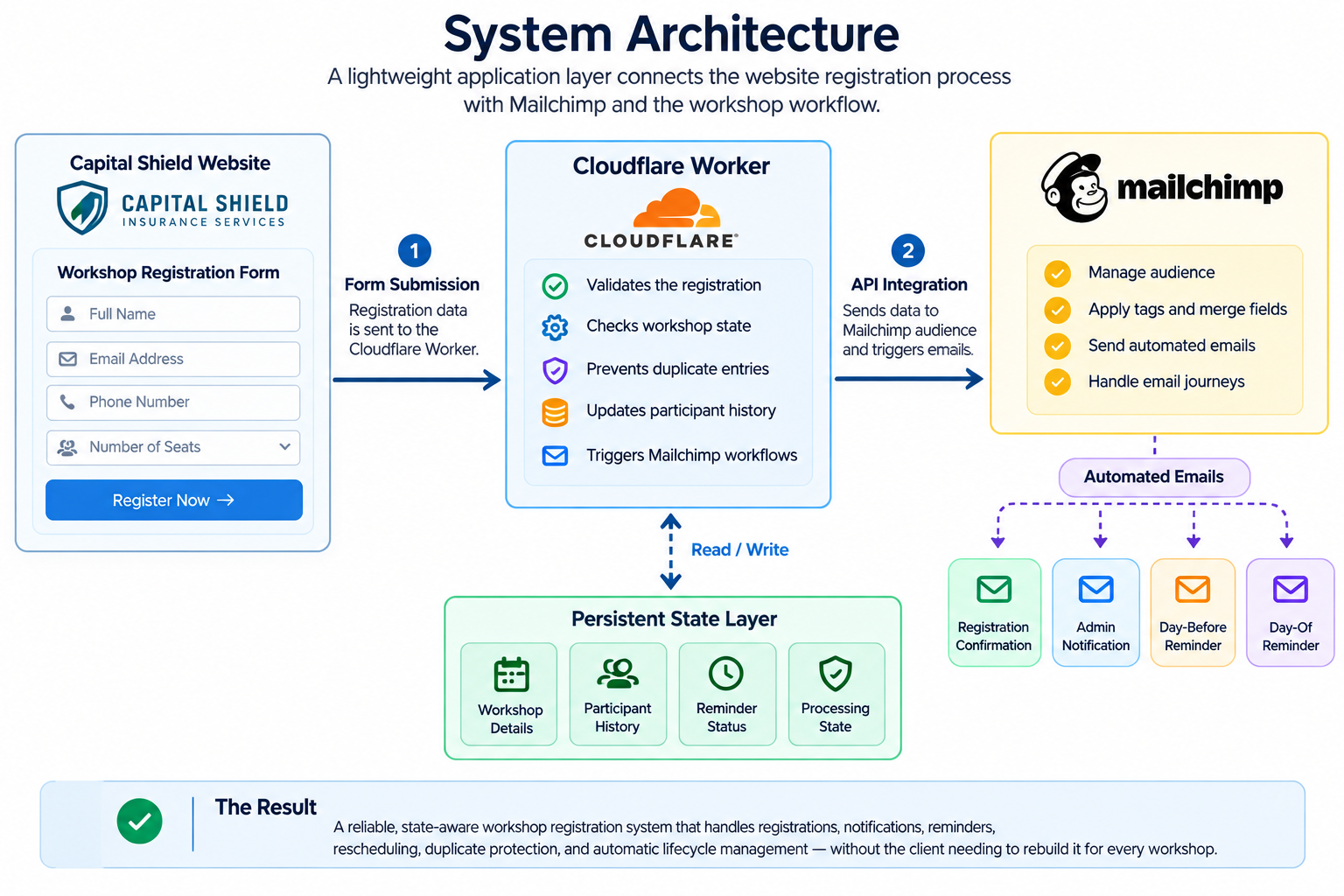
This meant the system could make a decision based on workshop context before triggering the appropriate Mailchimp communication.
That sounds like a small architectural change.
In practice, it changed what the system was capable of doing.
The Registration Became an Event
A registration was no longer treated simply as:
"Someone was added to Mailchimp."
The system could now ask:
That created a much more reliable workflow.
The system could distinguish between a new participant, a returning participant, a duplicate registration, and unexpected workflow states.
The objective was simple:
Do the right thing for the right participant in the context of the right workshop.
Keeping Participant History
One of the useful parts of the system is that participant history does not disappear when a workshop ends.
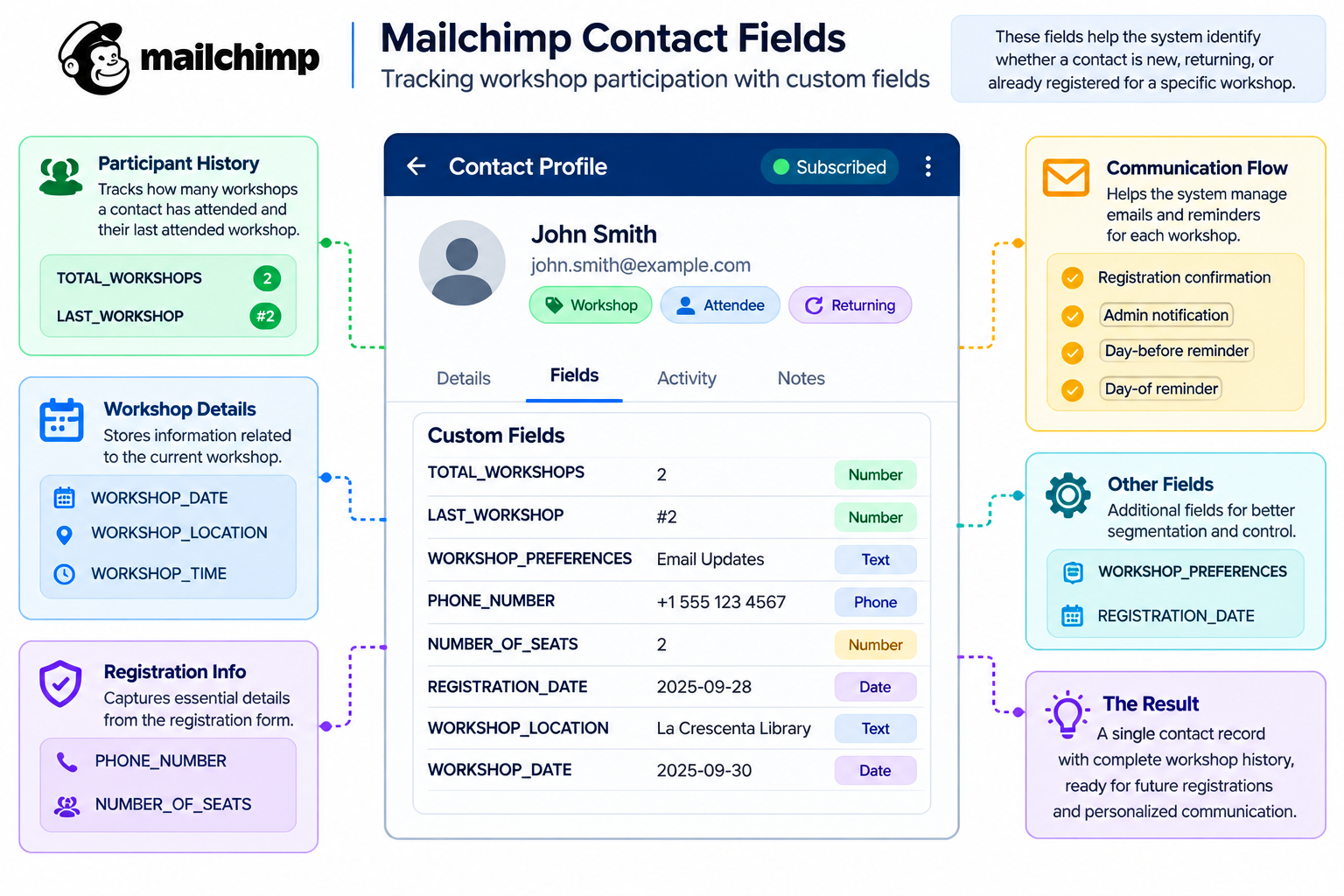
Two important Mailchimp fields help represent that history:
Key Contact Tracking Fields
TOTAL_WORKSHOPS and LAST_WORKSHOP
For example, after someone's first workshop:
TOTAL_WORKSHOPS: 1
LAST_WORKSHOP: 1
After registering for another workshop:
TOTAL_WORKSHOPS: 2
LAST_WORKSHOP: 2
The Mailchimp contact remains the same.
Their participation history grows.
This is useful beyond the immediate automation because it creates a foundation for future segmentation, personalization, and follow-up campaigns.
The Reminder Problem Was Bigger Than "Send an Email Tomorrow"
One of the easiest things to automate is also one of the easiest things to get wrong.
"Send a reminder one day before."
Simple.
Until the workshop gets rescheduled.
Or the workshop starts in the morning.
Or an event is processed twice.
Or a previous workshop's state is still hanging around.
Or the reminder belongs to an old workshop rather than the current one.
The reminder logic therefore had to understand more than a date.
It had to consider the workshop date, start time, timezone, current workshop state, and whether that particular reminder had already been processed.
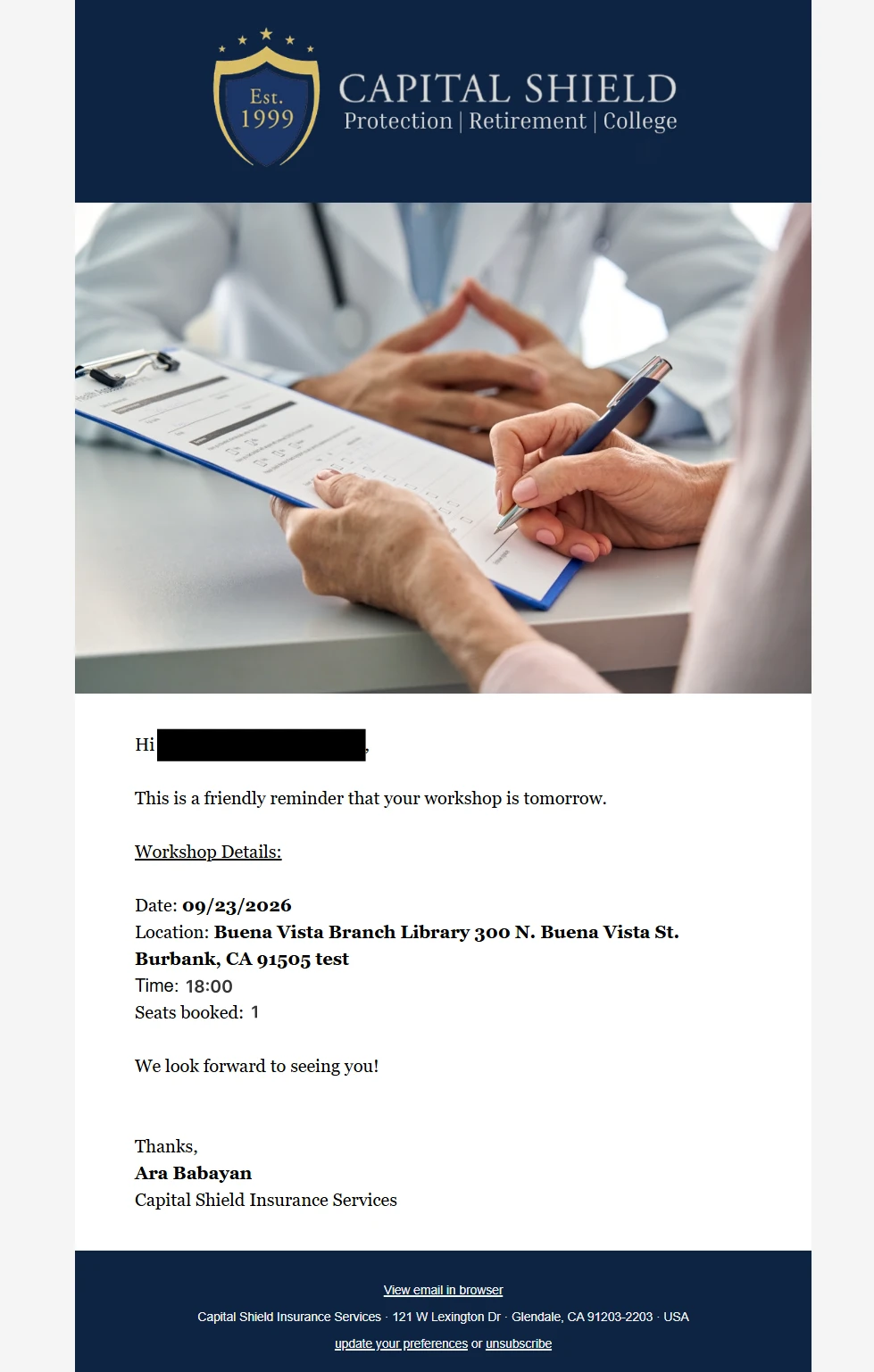
This became especially important for early workshops.
The client decided that a day-of reminder was unnecessary for a morning workshop.
So the system applies that business rule automatically.
For an early workshop, the day-before reminder still works, while the day-of reminder is skipped.
No manual intervention is required.
That is a small feature.
But it illustrates an important difference between a basic automation and a state-aware workflow.
A basic automation follows a sequence.
A state-aware system checks whether the next action actually makes sense.
Rescheduling Without Leaving Old Reminders Behind
Real workshops change.
Dates move.
Times change.
Locations can change.
A simple automation can struggle with this because previously scheduled actions may still exist after the business decision has changed.
The result can be an email reminding someone about a workshop that is no longer happening on that date.
The system was therefore designed around the concept of an active workshop rather than treating each email as an isolated automation.
When the workshop configuration changes, the system can reconcile the workflow around the current workshop.
Previous participation history remains protected.
The current workshop becomes the source of truth for new registration and reminder activity.
This makes rescheduling much safer than simply changing a date in an email campaign.
The Workshop That Resets Itself
This is probably the part of the project I value most.
The client should not have to rebuild or manually clean up the automation after every workshop.
When the workshop lifecycle is complete, the system automatically processes the old workshop.
The previous workshop expires.
The active workshop configuration is cleared.
The workshop sequence is preserved.
The system is then ready for the next workshop.
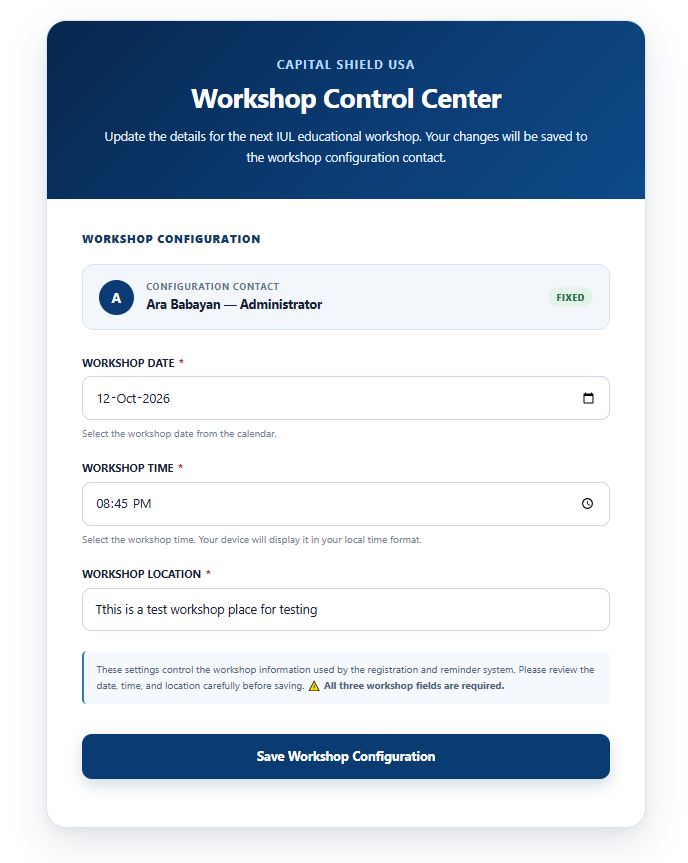
The client only needs to provide the new:
- Date
- Location
- Time
And the system is ready to accept registrations again.
The lifecycle becomes:
That cycle can repeat without rebuilding the underlying automation.
What Happens When an Old Participant Registers Again?
This was another important part of the design.
Suppose someone attended Workshop #1.
Workshop #1 ends.
The system moves into its next cycle.
The same person later registers for Workshop #2.
They are not treated as an obsolete contact.
They become a participant in the new workshop.
The system processes the new registration.
The participant receives the registration confirmation.
The administrator receives the registration notification.
Their workshop history is updated.
Their previous participation remains part of their record.

This is one of the clearest examples of why contact management and event management need to be treated as separate concepts.
The person is the same.
The registration is new.
Making the System Easier for the Client to Operate
There was another consideration behind the architecture.
The client should not need to understand the technology that makes the automation work.
They should not need to manage webhook payloads, database records, retry states, or reminder logic.
They need to run workshops.
So the operational side of the system was designed around business concepts rather than technical concepts.
The client works with things like:
- Workshop date
- Workshop location
- Workshop time
The complicated processing happens behind the scenes.
That is an important principle I follow when building automation systems:
The best automation often hides the complexity instead of exposing it.
Reliability Matters More Than the Number of Features
Once a system is responsible for multiple communications and workshop state, reliability becomes part of the product.
The workflow has to account for situations such as:
- duplicate webhook delivery
- repeated registration attempts
- temporary failures
- retry processing
- partially completed operations
- concurrent workshop changes
- expired workshops
- rescheduled workshops
The system therefore keeps track of processing state and protects critical operations from being executed more than they should be.
The goal is not to make the architecture complicated for the sake of being complicated.
The goal is predictable behavior when something unexpected happens.
That is especially important for email automation.
A duplicate database record is inconvenient.
A duplicate confirmation email is something a real customer actually sees.
Testing the Real Workflow
One successful registration is not enough to prove that a system like this works.
The workflow was tested through multiple complete workshop scenarios.
Testing covered:
- registration processing
- confirmation emails
- administrator notifications
- returning participants
- participant history
- day-before reminders
- day-of reminder rules
- early workshop schedules
- workshop expiry
- rescheduling
- duplicate events
- retry behavior
- workshop sequence handling
One of the most useful tests involved an early workshop.
The day-before reminder was delivered as expected.
The day-of reminder was intentionally skipped.
After the workshop lifecycle completed, the active workshop state was cleared while the workshop sequence remained intact.
That test represented something more important than a single successful email.
It showed that the system could move through an entire workshop lifecycle and prepare itself for what comes next.
The Result: A System the Client Does Not Have to Rebuild
Looking at the project now, the difference between the starting requirement and the final system is significant.
The starting requirement was:
"We need four automated emails for our workshops."
The final result is a reusable workshop management workflow that handles:
- workshop configuration
- registration processing
- participant history
- returning participants
- registration confirmations
- administrator notifications
- scheduled reminders
- business rules for early workshops
- rescheduling
- duplicate protection
- retry handling
- workshop expiry
- preparation for the next workshop
Most importantly, the client does not have to rebuild the automation for every new workshop.
The system is designed to continue cycling.
So, Is It an Intelligent System?
I would describe the result as a semi-intelligent automation system.
Not because it uses artificial intelligence.
It does not.
The intelligence comes from context and state.
The system can understand that:
- a contact is not automatically a registration
- an existing participant can legitimately register again
- a reminder can become irrelevant after a schedule change
- a morning workshop may not need a day-of reminder
- an expired workshop should no longer accept registrations
- a new workshop should start a new registration cycle
- previous participation should remain part of the participant's history
It does not simply execute:
Trigger → Email → Done.
It evaluates the situation and determines what should happen next.
That is what makes it semi-intelligent.
What the System Can Do
A concise overview of the core capabilities engineered into the workshop automation system:
TOTAL_WORKSHOPS and LAST_WORKSHOP.
What the Client Had to Say
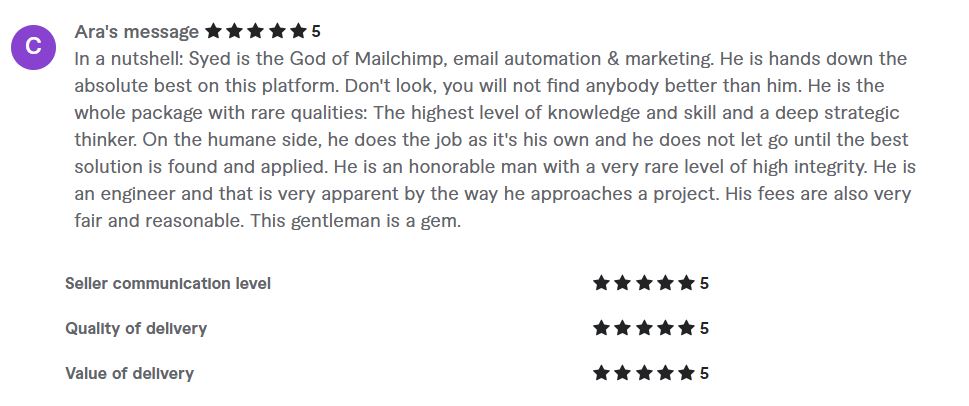
"In a nutshell: Syed is the God of Mailchimp, email automation & marketing. He is hands down the absolute best on this platform. Don't look, you will not find anybody better than him. He is the whole package with rare qualities: The highest level of knowledge and skill and a deep strategic thinker. On the humane side, he does the job as it's his own and he does not let go until the best solution is found and applied. He is an honorable man with a very rare level of high integrity. He is an engineer and that is very apparent by the way he approaches a project. His fees are also very fair and reasonable. This gentleman is a gem."
The Bigger Lesson
This project reinforced something I have learned repeatedly from working with email systems.
The difficult part of automation is rarely the email.
Sending an email is easy.
Understanding whether that email should be sent is harder.
Knowing which workshop the email belongs to is harder.
Knowing whether the person is a new participant or a returning participant is harder.
Knowing whether an old reminder should still be allowed to run is harder.
And making all of that continue working when the client changes the workshop date, runs another event, or receives the same webhook more than once is where the real engineering begins.
The project started with four emails.
It ended with a reusable workshop lifecycle.
That was the real transformation.
The goal was never to build more automation.
The goal was to build a system the client could trust to run the process.
Final Takeaway
A good email automation should not make the business owner think about automation.
It should let them think about the business.
For this project, that meant giving the client a workflow where a workshop can be configured, registrations can happen, communications can go out, the event can finish, and the system can prepare itself for the next cycle without rebuilding the underlying process.
What started as a request for four emails became something much more useful: a state-aware, semi-intelligent workshop automation system built around Mailchimp.
Need a Mailchimp System Built to Last?
Whether you need custom workshop automation, API integration, or email infrastructure built around real business constraints, let's talk through your system requirements.